
Wouldn’t it be empowering to diagnose your car’s issues without having to rely on a mechanic? Using an OBD2 scanner can make this a reality. By following simple steps, you can unlock a world of knowledge about your vehicle’s health and potentially save time and money on repairs. Let’s dive into how to use an OBD2 scanner step by step and take control of your car’s maintenance.
What is an OBD2 Scanner?
OBD2 scanners are diagnostic tools used to interact with the onboard computer systems in vehicles. They are designed to access information about the car’s engine, transmission, emissions, and other systems. These scanners plug into the OBD2 port of the vehicle, providing real-time data and trouble codes that help identify issues.
Modern OBD2 scanners come in various forms, from basic code readers to advanced diagnostic tools that can perform extensive system checks. They are essential for both professional mechanics and car owners, allowing them to quickly diagnose problems, monitor the vehicle’s performance, and potentially save time and money on repairs.
Steps to Use an OBD2 Scanner
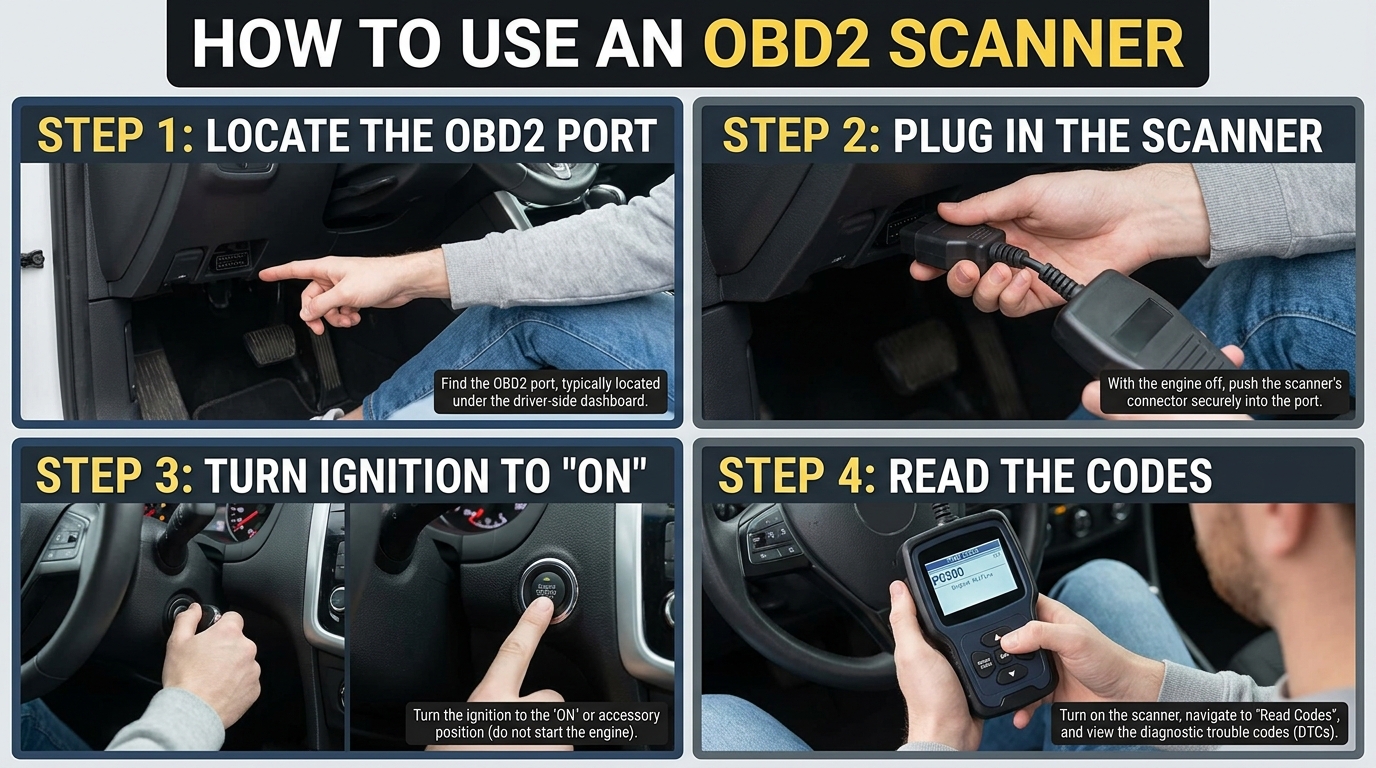
Step 1: Locate the OBD2 Port
First, find the OBD2 port in your vehicle. It is usually located under the dashboard on the driver’s side. The port is a standardized connector that allows the OBD2 scanner to communicate with the car’s onboard computer system.
Step 2: Turn on the Vehicle
Before connecting the OBD2 scanner, ensure that your vehicle is turned off. Once the scanner is securely plugged into the OBD2 port, turn on the ignition without starting the engine. This step will power up the OBD2 scanner and allow it to communicate with the car’s computer.
Step 3: Follow the Scanner Instructions
Each OBD2 scanner may have slightly different instructions for reading and clearing codes. Follow the prompts on the scanner’s screen to navigate through the menu options. You may be asked to input specific information or select certain functions to perform diagnostics on your vehicle.
4. Connecting the OBD2 Scanner
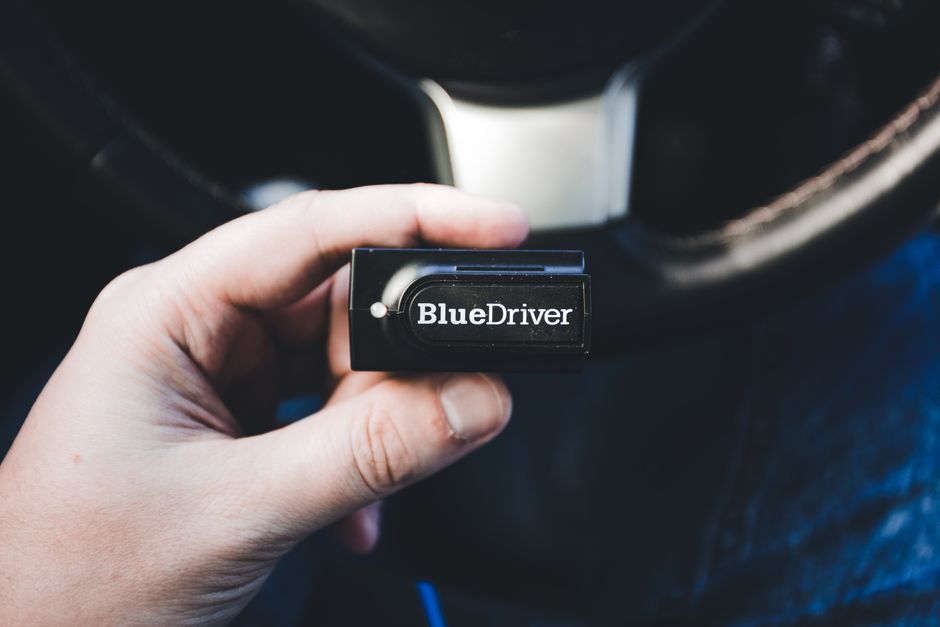
Connecting the OBD2 scanner to your vehicle is a straightforward process that requires locating the OBD2 port in your car. Typically, the OBD2 port is located under the dashboard on the driver’s side. Once you have located the port, you simply need to plug in the OBD2 scanner’s connector into the port firmly.
It is essential to ensure that the ignition is turned off before connecting the scanner to avoid any potential electrical issues. Once the scanner is securely connected, you can proceed to turn on the ignition without starting the engine. This will power up the scanner and allow it to communicate with your vehicle’s onboard computer to retrieve diagnostic information.
Reading and Understanding Codes
Reading and understanding codes from your OBD2 scanner is a crucial step in diagnosing issues with your vehicle. When you retrieve diagnostic trouble codes (DTCs) from the scanner, they provide valuable information about the specific problem affecting your car. Each DTC consists of a series of alphanumeric characters that correspond to a particular issue within the vehicle’s systems.
It’s essential to consult the manual that comes with your OBD2 scanner or use online resources to interpret the codes correctly. These codes can range from simple issues like a loose gas cap to more complex problems with the engine or emissions system. Understanding the codes will help you pinpoint the problem accurately and make informed decisions about necessary repairs or maintenance.
Clearing Codes
Clearing diagnostic trouble codes (DTCs) on your vehicle using an OBD2 scanner is a crucial step in the process of troubleshooting and resolving issues. Once you have identified and addressed the root cause of the problem indicated by the codes, it is important to clear them from the vehicle’s system. This not only turns off the check engine light but also allows you to monitor if the issue reoccurs after the reset.
Most OBD2 scanners have a “clear codes” or “erase codes” function that can be easily accessed through the menu. By following the on-screen instructions, you can clear the stored codes in the vehicle’s computer. It is essential to note that clearing the codes does not fix the underlying problem but only resets the system. If the issue persists, the codes will likely reappear, indicating that further diagnosis and repairs are necessary.
Tips for Using an OBD2 Scanner
1. Understand the Error Codes: Familiarize yourself with the most common OBD2 error codes before using the scanner. This will help you interpret the results more accurately and troubleshoot issues effectively. Make sure to refer to the scanner’s manual or online resources for detailed explanations of each code.
2. Regular Maintenance Checks: Use the OBD2 scanner for regular maintenance checks, even if your vehicle is not showing any warning lights. This proactive approach can help you detect potential problems early on, preventing costly repairs down the line. Regular scans can also provide insights into your vehicle’s performance and fuel efficiency.
3. Follow Proper Procedure: When using the OBD2 scanner, ensure that your vehicle is parked in a safe and well-ventilated area. Follow the manufacturer’s instructions for connecting the scanner and retrieving the codes. Avoid disconnecting the scanner while it is still communicating with the vehicle’s onboard computer to prevent any potential data corruption.